Text Message Program
Pickup alerts from your comic shop, sent through VerseDB Retail
What you receive
VerseDB is the sender of these text messages and the party responsible for the program. VerseDB Retail is the version of VerseDB that comic shops use to run their pull lists. When the shop you pull from has set aside the comics you reserved, you get one text telling you how many are ready for pickup (or ready to ship, for mail-order shops). The shop's name appears in the message so you know which store is holding them, and every message is signed “-VerseDB”. Messages are informational only. They never contain promotions, links, or phone numbers.
Example: Example Comics: 3 comics ready for pickup. Reply STOP to opt out. -VerseDB
- Frequency: about one message per week, and only in weeks you have comics waiting, plus one confirmation message when you sign up.
- Cost: message and data rates may apply. Check with your carrier.
- Help: reply HELP to any message, or contact your shop.
- Stop: reply STOP to any message and you will not be texted again. You can also turn texts off in the customer portal or ask your shop.
- Carriers: supported US carriers. Carriers are not liable for delayed or undelivered messages.
How you sign up
You only receive texts after agreeing to them. There are two ways to agree, and nobody is enrolled without one of them.
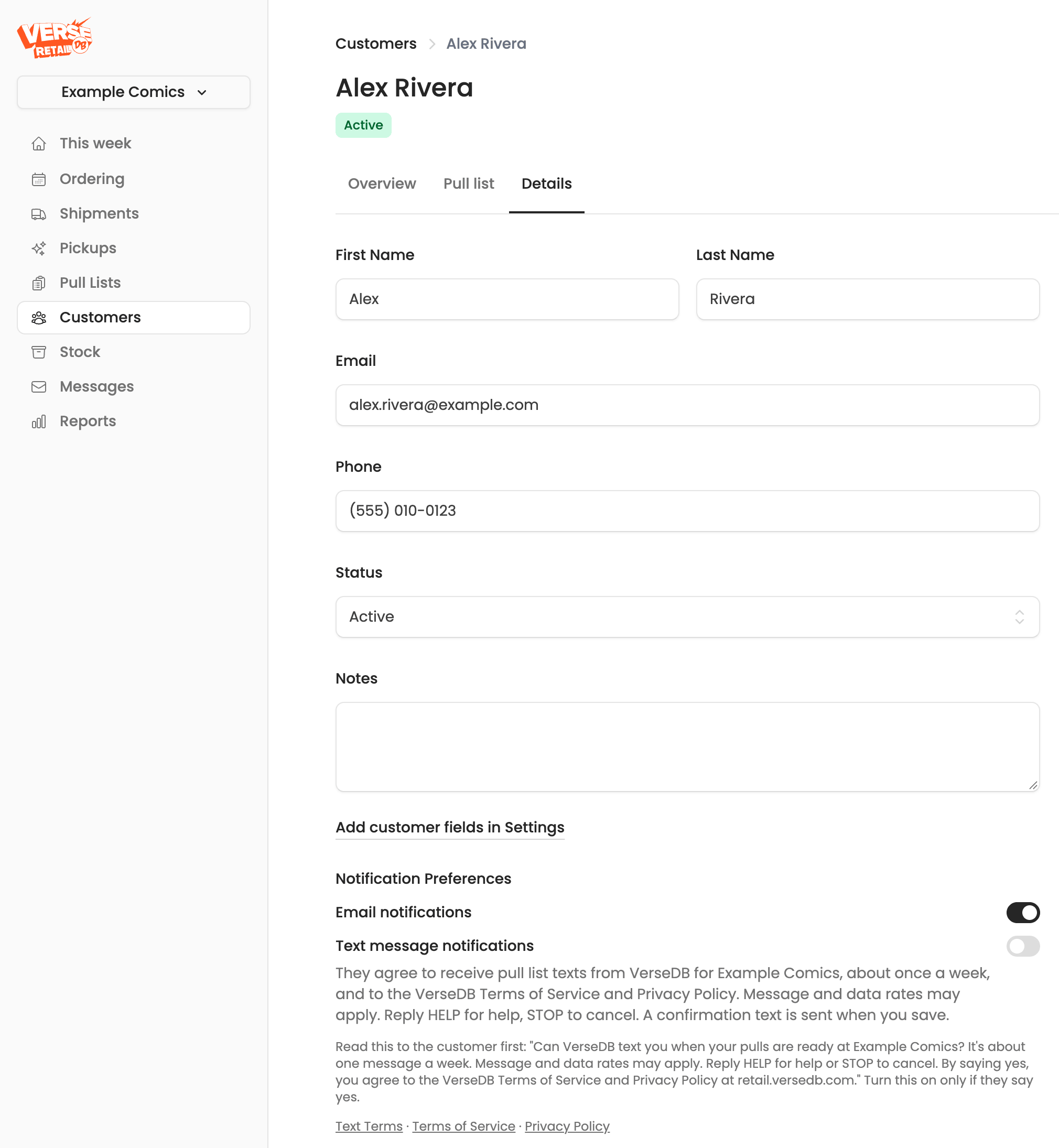
At the shop. Staff ask whether you want a text when your pulls are ready. If you say yes, they turn on text notifications on your customer record, and you get a confirmation text. The control staff use looks like this:
Text message notifications
They agree to receive pull list texts from VerseDB for Your Comic Shop, about once a week, and to the VerseDB Terms of Service and Privacy Policy. Message and data rates may apply. Reply HELP for help, STOP to cancel. A confirmation text is sent when you save.
Read this to the customer first: "Can VerseDB text you when your pulls are ready at Your Comic Shop? It's about one message a week. Message and data rates may apply. Reply HELP for help or STOP to cancel. By saying yes, you agree to the VerseDB Terms of Service and Privacy Policy at retail.versedb.com." Turn this on only if they say yes.
In the customer portal. After signing in to your shop's customer portal, open Account, enter your mobile number, tick the box, and press the sign-up button. The checkbox is never pre-ticked. The form looks like this:
Text message alerts
A text from VerseDB when your reserved comics at Your Comic Shop are ready, about once a week and only in weeks you have comics waiting.
Mobile phone
Text me when my pulls are ready
By ticking this box, you agree to receive pull list texts from VerseDB for Your Comic Shop, about once a week, and you agree to the VerseDB Terms of Service and Privacy Policy. Message and data rates may apply. Reply HELP for help, STOP to cancel. Consent is not a condition of purchase.
Text Terms · Terms of Service · Privacy Policy
Yes, sign me up for texts
Either way, the confirmation text reads: Your Comic Shop: You're signed up for pickup texts, about 1 msg/week. Msg&data rates may apply. Reply HELP for help, STOP to cancel. -VerseDB
Manage your texts
Sign in to the customer portal for the shop you pull from, then open Account to turn texts on or off or change the number we text. Signing in only needs the email address your shop has on file.
You can always reply STOP to any message, or ask your shop to turn texts off for you.
Your number and your privacy
Your mobile number is used only to send the messages you agreed to. No mobile information will be shared with third parties or affiliates for marketing or promotional purposes. Text messaging originator opt-in data and consent will not be shared with any third parties. Details are in our Privacy Policy; the program is governed by our Terms of Service.
Questions: contact your shop, or email [email protected].